E Kalyan Jharkhand Scholarship Status The Jharkhand E-Kalyan Portal, managed by the Government of Jharkhand, is designed to provide educational support to students through various scholarship schemes. Students can apply for scholarships online through this portal. After submitting the application, checking its status becomes an important step to track the progress of the application—such as document verification, approval, or fund disbursement.
This article provides a step-by-step guide on how to check the application status on the Jharkhand E-Kalyan Portal, helping students stay informed and updated easily.
E-Kalyan Jharkhand Scholarship Status Overview Table
| Particulars | Details |
|---|---|
| Portal Name | E-Kalyan Jharkhand |
| By | Govt. of Jharkhand |
| Use | Scholarship apply & status check |
| Category | SC, ST, OBC |
| Who Can Apply | Jharkhand residents in recognized institutes |
| Apply Mode | Online |
| Status Check | Login → Select Year & Scheme → Click “Know Status” → Enter App. No. & Year → Submit |
| Status Types | Submitted, Verification, Approved, Paid |
| Payment | DBT to bank |
| Website | ekalyan.cgg.gov.in |
| Help | Helpline & email on portal |
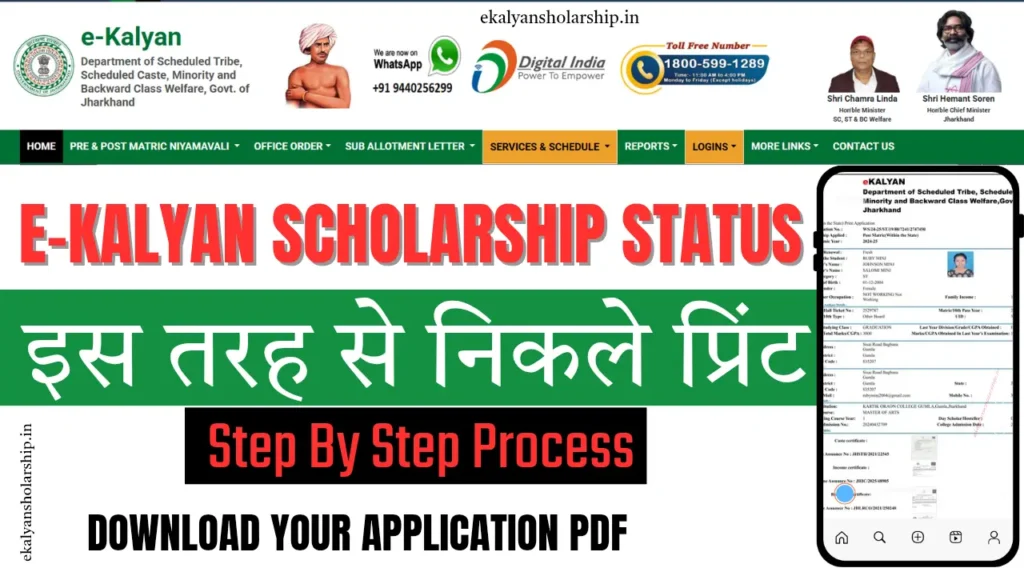
How to Check E-Kalyan Jharkhand Scholarship Status?
The E-Kalyan Jharkhand portal provides a convenient way for students to track the status of their scholarship applications. Whether your application is under review, approved, or payment is in process, you can easily check every update online. Here’s a step-by-step guide:
- Step 1: Go to the official E-Kalyan Jharkhand portal – https://ekalyan.cgg.gov.in
- Step 2: On the homepage, log in using your User ID and Password. This is the same login you used while applying for the scholarship.
- Step 3: After logging in, look for the “Services and Schedule” section in the main menu and click on it.
- Step 4: A drop-down menu will appear. From there, select the relevant Academic Year for which you applied for the scholarship.
- Step 5: Once you select the academic year, another drop-down will appear. Choose the option that matches your application category or scheme (like post-matric scholarship, pre-matric, etc.).
- Step 6: A new page will open. Scroll to the bottom of the page and click on the “Know Your Application Status” button.
- Step 7: You will now be redirected to a page where you must enter details such as:
- Academic Year
- Application Unique Number (AUN)
- Step 8: After entering the details, click on the “Submit” button.
- Step 9: The current status of your application will be displayed on the screen. It may show stages like:
- Application Submitted
- Under Verification
- Approved by Department
- Fund Disbursed
Read More
- e-Kalyan Jharkhand Scholarship Apply Now
- E-Kalyan Scholarship Payment Status
- E-Kalyan Jharkhand Scholarship Last Date 2025
- E Kalyan Mobile Number Change Process
- E Kalyan Email ID Change Process
Useful Tips:
- Always keep your Application Number and Academic Year handy, as they are essential for checking the status.
- If you have forgotten your login credentials, use the “Forgot Password” option available on the login page.
- Application status is updated regularly, so it’s recommended to check back from time to time for new updates.
- Make sure your bank account is active and linked with Aadhaar to avoid delays in fund disbursement.
Important Link
| Option | Link |
|---|---|
| Apply Online (In/Out State) | Click Here |
| Login (In State) | Click Here |
| Login (Out State) | Click Here |
| Date Ext. Notice | Click Here |
| Official Website | Click Here |
E-Kalyan Jharkhand – Frequently Asked Questions (FAQs)
Q1. What is the E-Kalyan Jharkhand portal?
Ans: E-Kalyan Jharkhand is an online portal launched by the Government of Jharkhand to provide scholarships to students belonging to Scheduled Castes (SC), Scheduled Tribes (ST), and Other Backward Classes (OBC).
Q2. Who can apply for the scholarship through E-Kalyan?
Ans: Students who are permanent residents of Jharkhand and belong to SC, ST, or OBC categories and are studying in recognized institutions can apply for the scholarship.
Q3. What is the last date to apply for the E-Kalyan scholarship?
Ans: The last date varies every year and is announced through the official website or notification. Students are advised to check the portal regularly for updates.
Q4. How can I check the status of my scholarship application?
Ans: To check your application status on the E-Kalyan Jharkhand portal, log in using your User ID and Password. Then go to the “Services and Schedule” section, select the relevant academic year and scheme, and click on “Know Your Application Status.” Enter your Application Number and academic year, then click “Submit” to view your current status.
Q5. What should I do if I forget my Application Number?
Ans: You can retrieve your Application Number by logging into your profile/dashboard. If you’re still unable to find it, contact the portal’s helpline for assistance.
Q6. When will the scholarship amount be credited?
Ans: Once the application is verified and approved, the scholarship amount is directly credited to the student’s bank account. This process may take a few weeks.
Q7. Can I correct a mistake in my submitted application form?
Ans: Yes, if there is any error in the submitted form, students can make corrections during the correction window (if available). This window is open for a limited time only.
Q8. I'm unable to log in to the portal. What should I do?
Ans: Make sure you are entering the correct User ID and Password. If you forgot your password, use the “Forgot Password” option to reset it. For other issues, contact the support team.
Q9. Is Aadhaar card mandatory for the scholarship?
Ans: Yes, your Aadhaar must be linked with your bank account as the scholarship is disbursed via Direct Benefit Transfer (DBT).
Q10. Where can I get help or support regarding the E-Kalyan portal?
Ans: You can find the helpline number, email address, and support details on the official E-Kalyan Jharkhand portal.

Hello and welcome! My name is Robin, and I’m from Gumla district in Jharkhand. I’ve always had a deep interest in the field of education, especially when it comes to helping students access the right information at the right time. For the past several years, I’ve been working as an educational content writer, and with that experience and passion, I created this website – ekalyanscholarship.in.
Through this platform, I aim to provide accurate and updated information related to E-Kalyan Jharkhand Scholarships. Whether it’s about how to apply, last dates, checking payment status, or tracking application progress — everything is explained here in a simple and student-friendly manner. My goal is to ensure that students in Jharkhand don’t face confusion or miss out on any opportunities just because of a lack of information.
If you find the content on this website helpful, or if you need guidance on any specific topic, feel free to reach out. I’m here to help you stay informed and supported throughout your scholarship journey.
Founder of ekalyanscholarship.in